
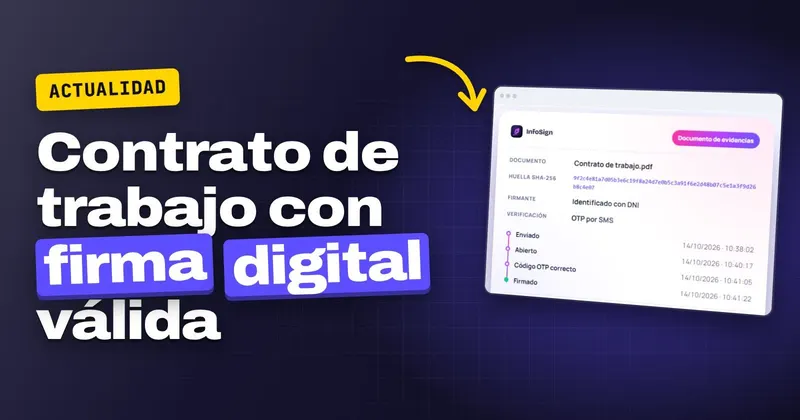
The harvest season is starting, you need to hire half your workforce within a few days and, from 05/10/2026, every contract or addendum must set out the essential conditions in writing, and you must be able to prove that the employee has received them. The short answer: a valid e-signature works for that contract, because Real Decreto 723/2026 (Royal Decree 723/2026) allows the information to be provided in electronic format. Below you will find what changes, which signature is good enough and how to record delivery without calling anyone into the office.
What changes with RD 723/2026
Published in the BOE of 15/09/2026 (Spain's Official State Gazette), Royal Decree 723/2026 replaces Real Decreto 1659/1998 (Royal Decree 1659/1998) and has been in force since 05/10/2026. It requires the company to inform the employee in writing of the essential elements of their contract.
It brings two things that make day-to-day life easier and one that calls for more care. When the contract already contains all of that information, a separate document is not needed. The information can be provided on paper or in electronic format. And in both cases you must be able to prove that the employee has received it.
From 05/10/2026, every new hire or change of conditions needs a complete contract or addendum and proof that the employee has received it. Review how you store this before your next batch of new hires.
When an e-signature is valid on an employment contract
For an employment contract, an e-signature is enough. Article 25.1 of the eIDAS Regulation (EU) 910/2014 says that an electronic signature cannot be denied legal effect or admissibility as evidence solely because it is in electronic form. In Spain it is supplemented by Ley 6/2020 (Law 6/2020 on trust services), in force since 13/11/2020, which repealed Ley 59/2003 (Law 59/2003 on electronic signatures).
What is commonly called a "digital signature" is split by the Regulation into three types: simple (art. 3.10), advanced (art. 26) and qualified (art. 3.12). Only the qualified signature has a legal effect equivalent to that of a handwritten signature (art. 25.2). The differences are explained in simple, advanced or qualified signature: which one do you need.
The difference shows when an employee challenges the contract. With a non-qualified service, it is up to the company to prove it, under art. 326.3 of the Ley de Enjuiciamiento Civil (Spain's Civil Procedure Act). That is why what you keep alongside the signed contract matters so much; we look at it in detail in how to prove an e-signature before a judge.
How to prove the employee received the information
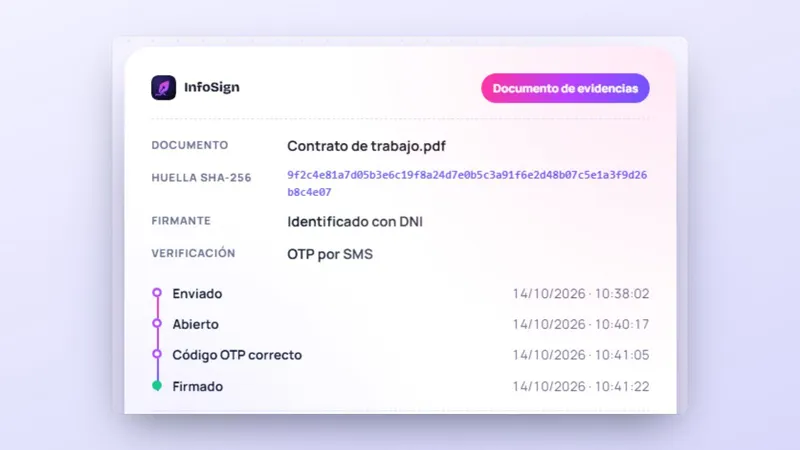
Proving receipt is exactly what the regulation asks for. With a contract signed in InfoSign, that proof is the evidence document that comes back with each signature. Here is what it records and what it helps you demonstrate:
| What the evidence document records | What it lets you demonstrate |
|---|---|
| Fingerprint (hash) of the document before and after signing | That the contract you keep is the one the employee signed: any later change is detected |
| Date and time of each step: sending, opening and signing | When it reached them, when they opened it and when they signed it |
| IP and device | Where it was signed from |
| How the signatory was identified | That the right person signed, using their one-time code |
In addition, each signed document carries a qualified time stamp, issued by a provider listed on the Ministry's trusted list. It is the time stamp that is qualified, and it helps you fix the moment of signing.
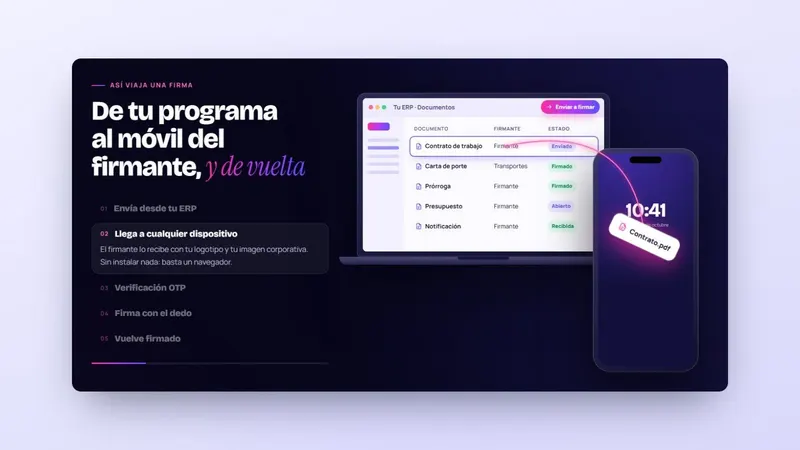
The employee receives the one-time code by email and, if the company enables it, by SMS as well. They sign from a mobile, tablet or computer, using a browser and without installing anything. Anyone without an email address or mobile to hand can sign in person on a company tablet.
With seasonal contracts already coming out of your management software, InfoSign sends them in a bulk mailing, each employee signs their own and they come back to your server with their evidence document: tell us which contracts you sign and which software you use, and we will show you how it works.
What to check in your contracts and addenda
Before the next batch, go through these points with whoever prepares the contracts:
- That the template includes all the essential elements. With everything inside the contract, you save yourself the separate information document.
- That addenda changing conditions are also issued in writing and with their proof of receipt.
- That you have each employee's email address or mobile number. For anyone who does not have one, arrange for them to sign on a company tablet on their first day.
- Where the signed copies end up. With InfoSign they return to your server together with the evidence document, with no scanning or filing of paper.
From your usual software you choose the contracts, send them out for signing and follow in real time who has opened them and who is still outstanding, with reminders when someone is late. You can see how it fits with your software in e-signature software integrated with your ERP, and the uses for signing contracts on its own page.
For the employee who is on another farm or in another province, the steps for signing without coming into the office are in how to sign employment contracts remotely.
What to do before your next batch of new hires
- Take out the contract template and the addenda you use and check that they include the essential conditions required by Royal Decree 723/2026.
- Decide how you will prove receipt of each one and where that proof is stored.
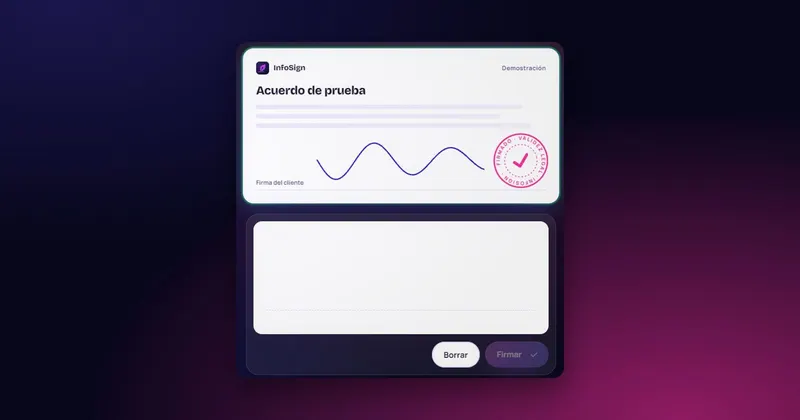
- Try how your workforce would see it in the "Sign here" box on the InfoSign website, which is just a demonstration.
When you want to see it with your own contracts, request more information, call +34 959 54 07 12 or message us on WhatsApp at +34 621 39 39 47. We will call you and show you how it works.


 Test agreement