

When a company starts signing digitally, the first question is almost always the same: is any e-signature enough, or do you need a certificate? The answer depends on the document. The law distinguishes three types of e-signature, and they are not all equally suitable for everything. Here is what each one is, what it requires, and a practical guide to deciding which level each document in your company needs.
The three types of signature under the eIDAS Regulation
The framework is European: Regulation (EU) 910/2014, known as eIDAS, as amended by Regulation (EU) 2024/1183. In Spain it is supplemented by Ley 6/2020 (the Spanish Act on electronic trust services). Article 3 of the Regulation defines three levels:
- Electronic signature (simple): data in electronic form which is attached to or logically associated with other electronic data and which is used by the signatory to sign. It is the broadest category: a finger stroke on a screen, a tick box or a typed name can all qualify.
- Advanced electronic signature: one that meets the four requirements of Article 26, which we look at below.
- Qualified electronic signature: an advanced signature created by a qualified signature creation device and based on a qualified certificate issued by a provider included in the trusted lists.
The difference is not in the technology you can see, but in what can be proven afterwards: who signed, that the document has not changed, and when it happened.
What each level requires
Article 26 of the eIDAS Regulation sets four requirements for an advanced signature:
- It is uniquely linked to the signatory.
- It is capable of identifying the signatory.
- It is created using data that the signatory can use, with a high level of confidence, under their sole control.
- It is linked to the signed data in such a way that any subsequent change is detectable.
A qualified signature adds two elements: the qualified certificate (which a provider issues after verifying the person's identity, under the identification requirements of Article 7 of Ley 6/2020) and the qualified signature creation device.
| Level | What is needed | Legal effect |
|---|---|---|
| Simple | Any electronic data the signatory uses to sign | Its legal effect and admissibility as evidence cannot be denied solely because it is electronic (Art. 25.1 eIDAS) |
| Advanced | The four requirements of Art. 26 | Same as simple, with more elements to prove authorship and integrity |
| Qualified | Advanced + qualified certificate + qualified device | Legal effect equivalent to that of a handwritten signature (Art. 25.2 eIDAS) |
What the law says about the value of each one
Article 25.1 of the eIDAS Regulation is clear: an electronic signature cannot be denied legal effect or admissibility as evidence solely because it is in electronic form or because it does not meet the requirements of a qualified one. In other words, a simple or advanced signature is valid; what changes is how you defend it if someone challenges it.
This is where the Ley de Enjuiciamiento Civil (the Spanish Civil Procedure Act) comes in. Under its Article 326, as worded by Ley 6/2020:
- If a non-qualified trust service was used and the authenticity or integrity of the document is challenged, the party presenting it must prove it by whatever useful means it has: an expert report, the process log, witnesses.
- If a qualified service listed on the trusted list was used, the document is presumed to have the characteristic in dispute, and the burden of proving otherwise shifts to the party challenging it.
In practice, most company documents are signed with a well-documented simple or advanced signature, and the qualified signature is reserved for cases where a rule requires it or the risk of dispute is high.
Which level suits each document
This table is general guidance. If a specific document is subject to sector-specific rules, a collective agreement or a requirement from a public body, those rules prevail.
| Document | Usual level | Why |
|---|---|---|
| Quotes and order acceptances | Simple or advanced | No legal form is required; being able to prove acceptance is enough |
| Delivery notes and deliveries | Simple | It confirms receipt; the evidence is the date, the time and who receives |
| Employment contracts, extensions, payslips | Advanced | In many cases they must be in writing and it is wise to identify the person properly |
| Rental contracts and sales contracts for movable goods | Advanced | The amount and duration justify stronger identification |
| Confidentiality agreements and SEPA orders | Advanced | Obligations that may be disputed years later |
| Dealings with the authorities | Whatever the procedure requires | Each electronic portal sets which signature systems it accepts |
| Public deeds | Cannot be replaced by a private signature | Article 1280 of the Código Civil (the Spanish Civil Code) requires a public document for certain acts, such as rights in rem over real estate |
Be careful with that last point: signing digitally does not turn a private document into a public one. If a law requires a deed before a notary, an e-signature between private parties does not replace it.
Common mistakes when choosing
- Asking for a certificate for everything. Requiring a customer to use a qualified signature to accept a quote tends to slow down the sale without adding anything the law requires.
- Stopping at an “I accept” tick box. A simple signature with no record of who, when and which version of the document is hard to defend if there is a dispute.
- Not keeping the signed original. The evidence is not a screenshot of the email: it is the document with its digital fingerprint and the process log.
- Forgetting that the document can change. If the PDF can be edited after signing without anyone noticing, the fourth requirement of an advanced signature is missing.
- Confusing signing with identification. Knowing who is signing requires some verification step, not just that the signature “looks” like that person's.
How InfoSign helps
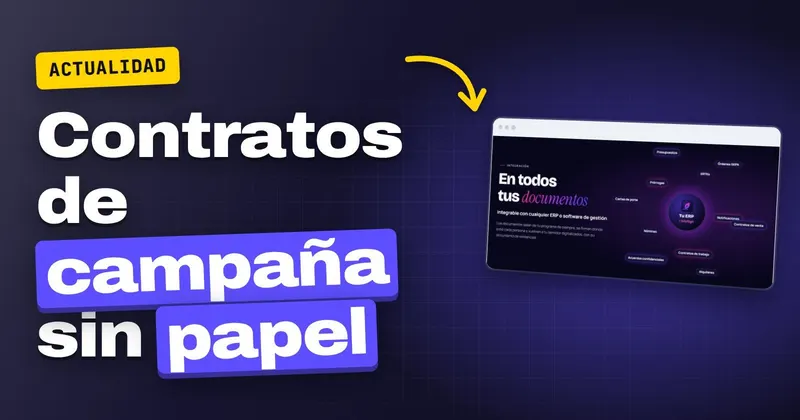
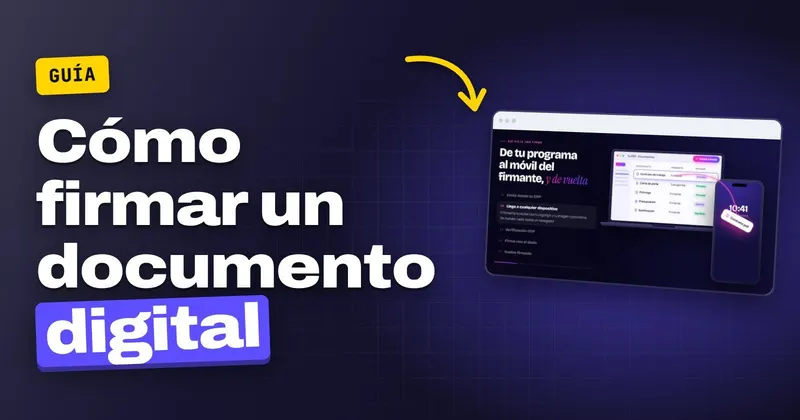
InfoSign is designed for everyday company documents: employment contracts, consignment notes, extensions, ERTEs (temporary employment adjustment plans), notifications, quotes, confidentiality agreements, SEPA orders, payslips, sales contracts and rental agreements. You send the document from your management software, the person signs it from their mobile, tablet or computer without installing anything, and the company instantly receives the signed document together with its evidence document.
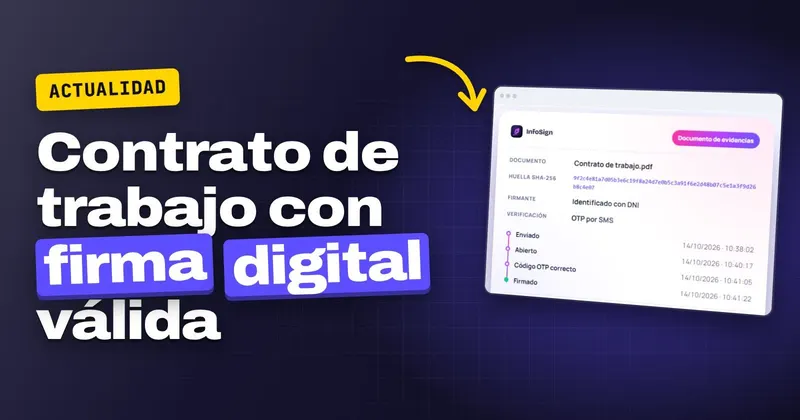
That evidence document contains exactly what you need to defend a signature: the document's digital fingerprint (any later change is detected), the date and time of each step (sending, opening and signing), the signatory's identification and, if you enable it, verification of the OTP code by SMS. You can see what it records and which rules it relies on on the page about the legal validity of the e-signature, and what the full process looks like in e-signature for documents.
 Test agreement